
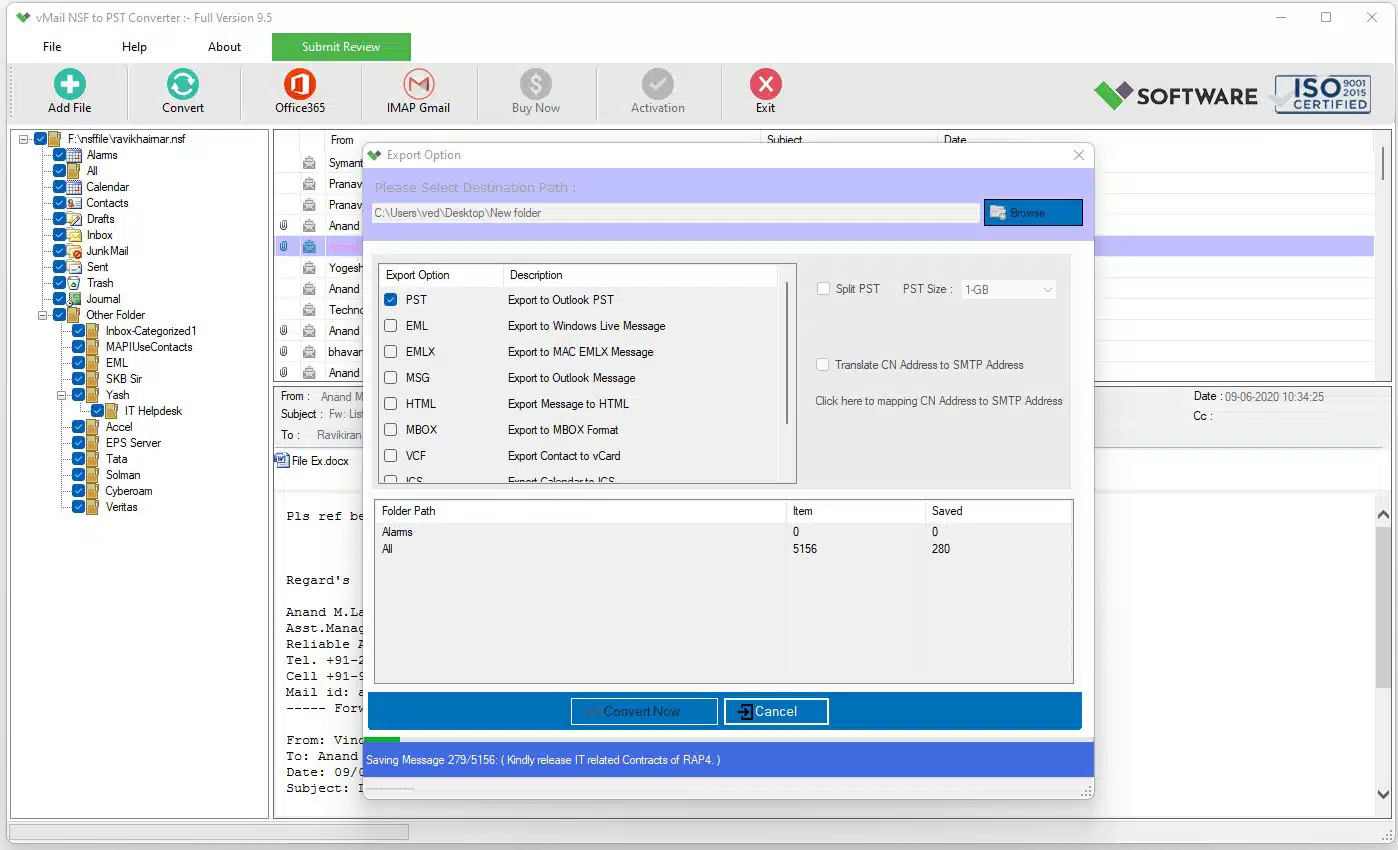
However, it is not always easy for companies to migrate their emails from Lotus Notes to Outlook because the two email clients have different storage mechanisms. Whereas the information from Lotus Notes is saved in NSF format, Outlook is based on the PST format. In case the company chooses to change from Lotus Notes to Outlook, it needs an efficient solution that will allow transferring emails and other mailbox items without losing any crucial data. This is where the vMail NSF to PST Converter comes into play.
Why NSF to PST Migration Becomes Difficult
Lotus Notes and Outlook are created using different technologies, so converting NSF file into an outlook format is impossible. Manual migration becomes even more complex when there are numerous emails, attachments, contacts, draft emails, notes, and other mailbox items in one NSF file. Moreover, users may want to preserve original hierarchy and all information about each email during migration.
The problem is that users may have NSF files that were created using different versions of Lotus Notes software. The vMail utility allows you to migrate NSF files that were created using such Lotus Notes versions as 14, 12.2, 12, 11, 10, 9.0.1, 9.0, 8.5, 8.0.2, 7.0, 6.5, and 6.0.
Thus, instead of doing something complicated manually, you can use an NSF to PST Converter.
Step-by-Step Process to Convert NSF Files to PST
Step 1: Install the NSF to PST Converter

First, download and install the Lotus Notes NSF to PST converter on a Windows machine. This converter works on Windows 11, 10, 8.1, 8, 7, Vista, and XP operating systems. As per the product requirements, the IBM/HCL Notes Client must also be installed on the local system.
Prior to installing the software, choose the version of the software according to the Lotus Notes environment. The product page also mentions that if your Lotus Notes email client is 64-bit, then you should install the 64-bit version of the software, otherwise the 32-bit one.
Step 2: Select the NSF File

After opening the software, the user selects the choice of opening or browsing an NSF file. The NSF file present in the user’s machine is opened and loaded into the software. The software has been created to analyze large NSF files belonging to Lotus Notes and extract their mailbox data.
This is essential for users who have more than one NSF file and want to choose the desired source file for migration.
Step 3: Preview NSF Mailbox Data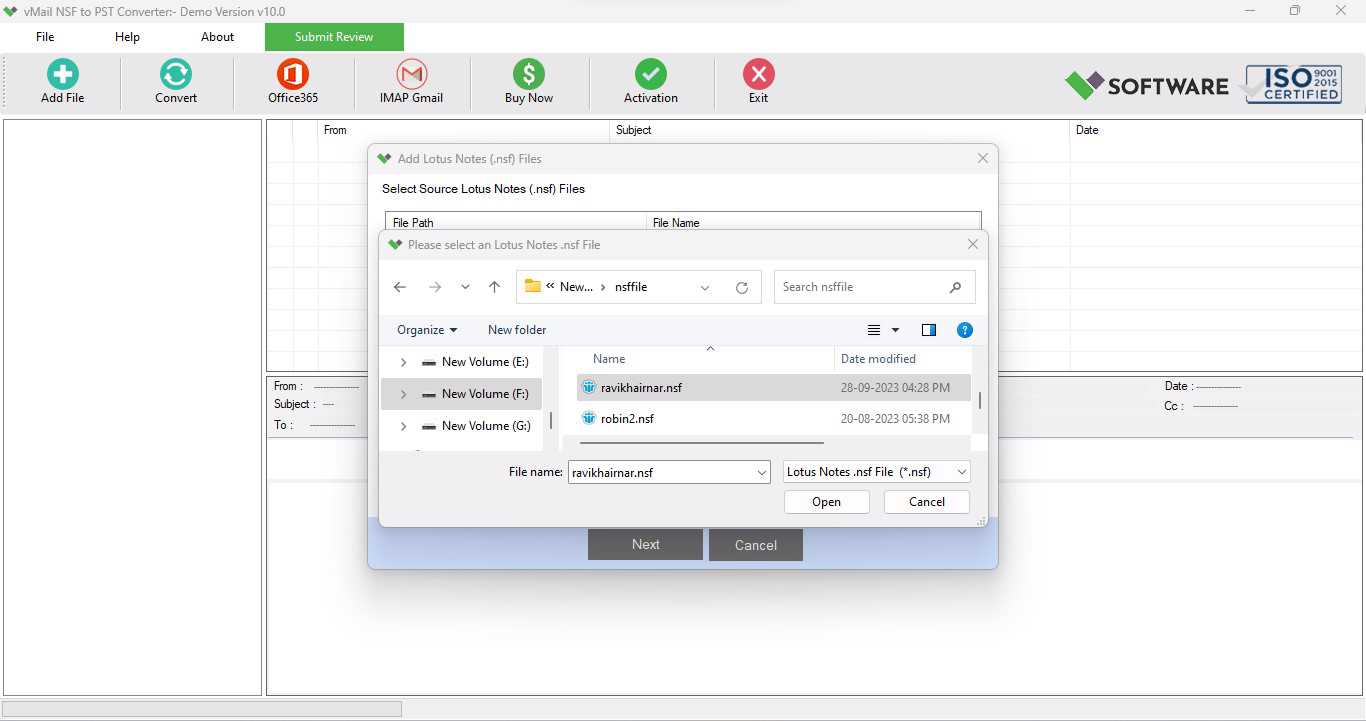
After scanning the NSF file, the software presents the user with a preview of the retrieved mailbox items. Users have the opportunity to view the emails and data before embarking on the process of conversion. Previewing enables the user to confirm whether all the necessary mailbox items are available.
This can be very helpful when working with big or old NSF files because users get an idea of the folders and items they need to export.
Step 4: Select Required Mailbox Items

After this, the user will have to select the data to be migrated. This software allows selective migration whereby the user has the freedom to select specific Lotus Notes mailbox objects for migration rather than migrating everything. This includes emails, drafts, attachments, notes, contacts, and any other item supported by the software.
The selective migration method can help to save time as well, as in case the user wishes to extract certain folders only from NSF file.
Step 5: Choose PST as the Output Format

After selecting all required files, PST should be the output file format. The converter software Lotus Notes to PST Converter has been specifically designed to enable conversion of Lotus Notes mailbox data to PST format which can be viewed through Microsoft Outlook. Other file formats available for conversion include EML, MSG, MBOX, HTML, PDF and vCard depending on the requirement for migration.
Choosing PST as an output file format allows you to access your converted Lotus Notes mailbox through Microsoft Outlook. Microsoft Outlook versions supported by the converter software are 2021, 2019, 2016, 2013, 2010, 2007 and 2003.
Step 6: Start the NSF to PST Conversion

Now begin the process of converting NSF to PST files. The software takes the selected NSF data and produces the resulting PST file. In the process, the software tries to keep intact the important properties of the email messages including To, CC, BCC, subject, time, and attachments, among others.
This is vital since successful migration is not just about migration of emails. There is also the matter of accessing the related metadata and attachments.
Step 7: Access the Converted PST File in Outlook

Once the conversion process is over, the obtained PST file becomes accessible/importable into MS Outlook. Now, users will be able to access the migrated mailbox data in MS Outlook and manage their Lotus Notes emails from there as they did previously.
When migrating a bigger amount of data, this software gives the opportunity for exporting NSF mailboxes directly to Office 365/Exchange Server. The software can perform migration to Google/G Suite, IMAP, and Yahoo Mail.
Key Benefits of Using vMail NSF to PST Converter
The more features of conversion from NSF to PST that a utility is able to support, including the preservation of mailbox components' characteristics, the easier it becomes to complete this task. vMail offers the possibility to preview emails, export files in different formats, selectively convert the data, preserve folders, and supports different versions of Lotus Notes based on the information provided by the vendor.
Another feature of vMail that may be regarded as the strength of this product is the fact that this utility is not restricted to conversion of NSF into PST format. NSF data can be exported in EML, MSG, MBOX, and vCard formats when there is a need for migration to different email clients.
There is a possibility to try a demo version of this utility, which allows users to see the result of conversion and save up to 30 items per folder.
Conclusion
In case when migration is complicated due to different mailbox formats, the conversion of NSF data to PST format can become a good solution for moving data to Outlook. Following the steps of installation of the software, selection of the NSF file, preview of mailbox data, selection of necessary items, selection of PST and start of the conversion will allow users to simplify the process of migration.
The vMail NSF to PST Converter allows using different Lotus Notes and Outlook versions and keeps email properties, attachments and folders structure during the conversion process.
Those users, who need to perform NSF to PST conversion while keeping mailbox structure, will be able to use the automated conversion method.

Comments