

Outlook and Thunderbird use distinct mailbox file types. In Outlook, mailbox information is mostly stored in PST files. On the other hand, in Thunderbird, MBOX files are used. Consequently, when migrating from Outlook to Thunderbird, one needs to perform the task of converting PST data into the MBOX file type. The importance of this process arises in cases where individuals want to open their emails previously stored in Outlook using Thunderbird without losing any mailbox information.
The vMail PST to MBOX Converter helps people to achieve this. The program allows conversion of PST files into MBOX files and supports the following email clients: Thunderbird, Apple Mail, Spicebird, SeaMonkey, Netscape, and Eudora. The program can process emails, contacts, calendars, and other mailbox information without losing any information contained in the email, including To, CC, BCC, subject, date-time, and attachments.
Why Convert PST to MBOX for Thunderbird?
Thunderbird does not work directly with PST files created by Outlook. This means that people cannot just choose a PST file and use it in Thunderbird. The information needs to be converted into a format that can be understood by Thunderbird. One such format is MBOX, which is supported by Thunderbird.
There are many reasons why people would like to move their mailboxes from Outlook to Thunderbird. The reasons include the lightweight nature of Thunderbird, flexibility of Thunderbird, among others. Some people may even have PST archive files that they do not want to lose, but they do not need to use Outlook as the email client anymore. These are the kinds of instances where it is useful to convert PST to MBOX to make the data usable in Thunderbird.
The manual process can get tricky, especially if the PST file has a lot of emails and attachments. This is why it is easier to use a dedicated converter to scan the PST file, show the available mailbox data, and then create MBOX data.
How to Convert PST to MBOX for Thunderbird?
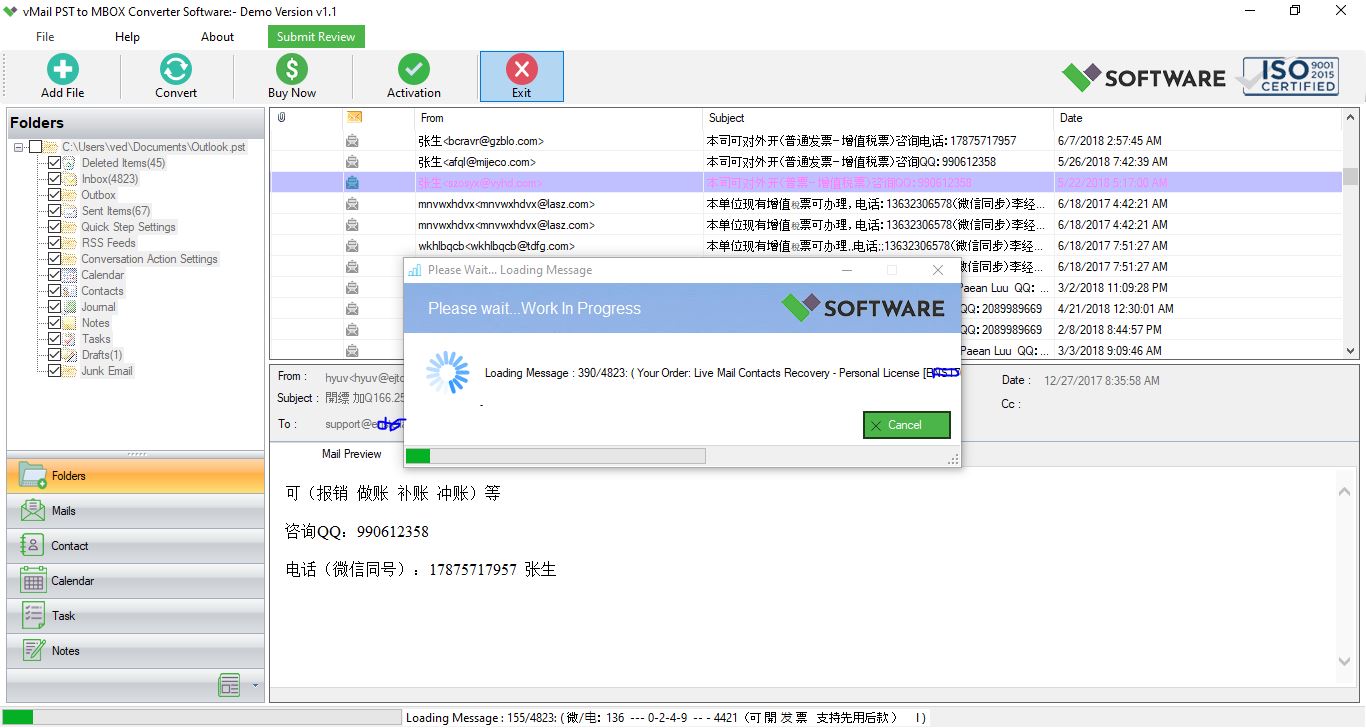
The conversion process of vMail PST to MBOX Converter is quite easy. Firstly, the user needs to install the converter software on a compatible Windows machine and run it. Then, add your Outlook PST file, which contains mailbox information to be converted. The software scans the chosen PST file and displays the folders and emails available in the PST file.
Prior to conversion, you can use a preview option in order to have a look at the recovered mailbox data. The preview function is helpful as it provides an opportunity for you to inspect the content of the PST file before converting and saving the data. Once you inspect the mailbox data, choose the data needed and choose the MBOX format.
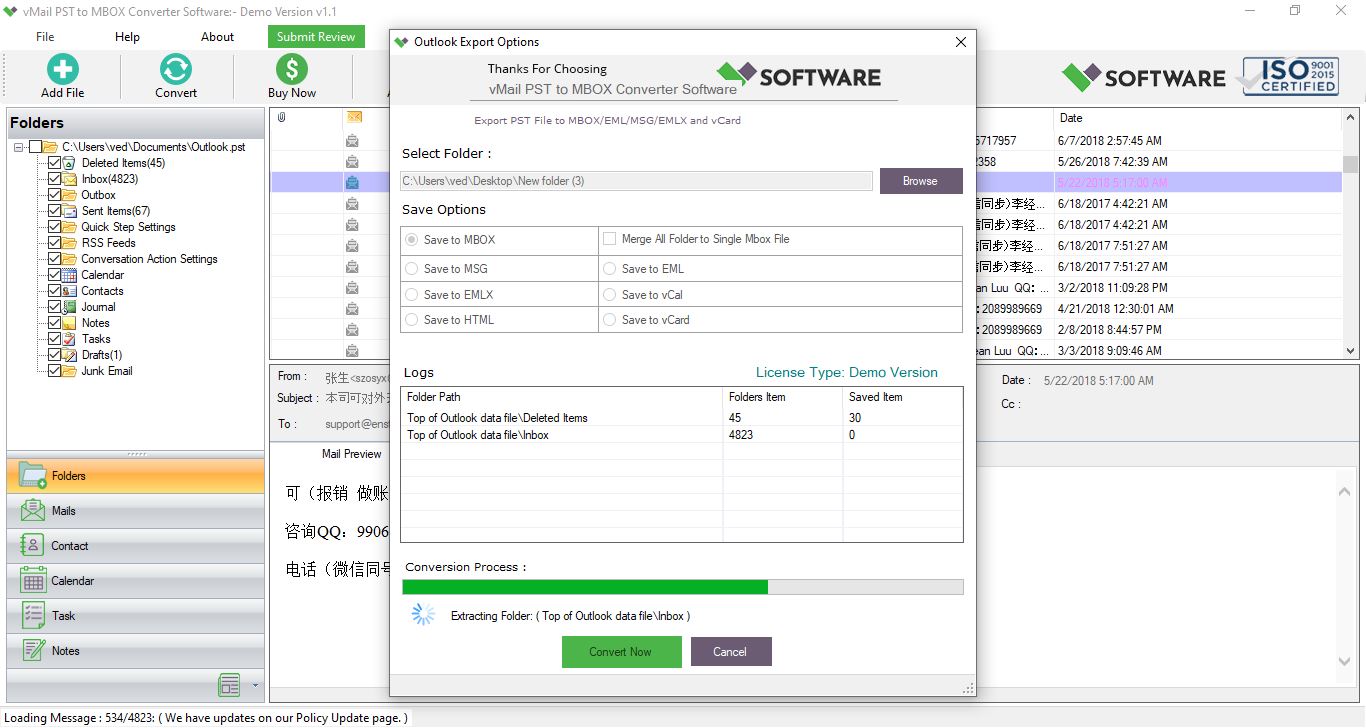
Finally, choose a suitable destination folder where to save the MBOX files and start the conversion procedure. The software will create MBOX output files based on the chosen Outlook data.
The overall process can therefore be summarized as:
STEP 1: Open vMail PST to MBOX Converter
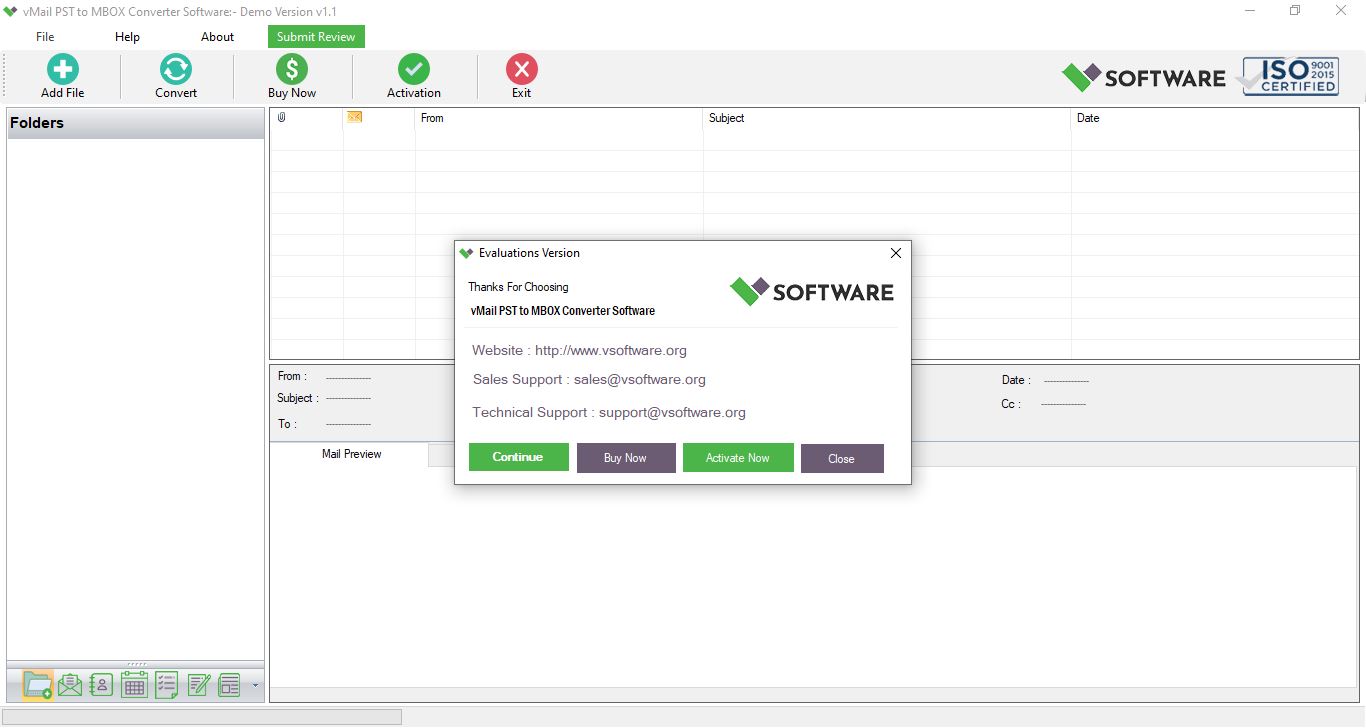
STEP 2: Browse & Select Outlook PST file

STEP 3: Scan the Outlook PST file Data
STEP 4: Start The Conversion Process
Features That Make PST to MBOX Conversion Easier
One of the essential advantages of the best PST to MBOX converter is the capability to deal with PST archives generated using various Outlook versions. Based on the product description, the tool supports PST archives made using Outlook 2021, 2019, 2016, 2013, 2010, 2007, and even earlier versions. It is helpful both for dealing with the old Outlook archives and relatively new ones.
Another advantageous feature is the capability to deal with large PST files. According to the product description, there are no restrictions regarding the PST file size during the conversion. It is particularly helpful in cases where an Outlook archive contains years of emails and their attachments. There is no need to split the archive into smaller ones, but it is possible to convert it via the converter.
In addition, the software offers the functionality to preview the email. Before the start of the conversion process, users are able to preview the recovered emails and make sure that all necessary mailbox details have been recovered and select the necessary data to convert. In the case of the free version, users will be able to preview the file and export no more than 30 items per folder.
Preserving properties of emails during migration is one more important feature. While converting, the software preserves the information about To, CC, BCC, subject, date-time, and attachments. Preserving this information is important since transferring only the text of a message may create problems while managing an email archive.
In addition, the converter can be used to convert password-protected PST files. Thus, there is no need to unlock the password first in order to use the file for the conversion process. The description on the product web page mentions recovering data from corrupted PST files and exporting it to MBOX.
Export Outlook Emails to Thunderbird
Migration's main objective is to export Outlook emails from PST format to MBOX format and make them usable in Thunderbird. Users can choose the necessary mailbox data during migration and create MBOX files which, after conversion, can be imported into a proper Thunderbird mailbox environment.
Such migration can be very helpful for those users who have a lot of emails stored in Outlook and want to access them using Thunderbird. Instead of copying every single email manually, a special migration process gives an opportunity to do everything in an organized manner.
MBOX format created in the course of migration is not limited to use in Thunderbird. The product information of the software also says about the ability of Thunderbird to work with Apple Mail, Spicebird, SeaMonkey, Netscape, and Eudora.
Is vMail PST to MBOX Converter Suitable for Thunderbird Migration?
In case some users wish to migrate their mailboxes from Outlook to Thunderbird, there are special features of the vMail PST to MBOX Converter Software that can be used for this purpose. These features include the ability to work with various Outlook PST file versions, MBOX-supported email clients, encrypted PST files, email preview, and email attributes preservation.
The program is compatible with Windows 11, 10, 8.1, 8, 7, Vista, and XP, with at least 128 MB RAM and 50 MB free disk space.
Generally speaking, the PST to MBOX conversion is what needs to be done if Outlook mailbox content is to be accessed via Thunderbird. The use of an appropriate converter would make the process easier and help ensure that all important information contained within the initial PST file is not lost. With the help of the right conversion software, one could easily turn Outlook emails into MBOX format and transfer them into Thunderbird.
When looking for the best PST to MBOX converter for Thunderbird in order to perform a safe conversion and save email information, one should pay attention to the following features: compatibility, previews, large PST support, and preservation of email properties. Such features would make the whole conversion process more convenient and organized for individuals as well as professionals who deal with Outlook emails.

Comments