
Email communication remains one of the most vital resources for business and professional people. With time, PST files generated by Microsoft Outlook end up containing thousands of useful email addresses of their customers, clients, vendors, and business partners. The manual extraction of these email addresses becomes a difficult and tiresome job, especially if Microsoft Outlook is not available on your computer.
However, thanks to vMail PST Email Extractor Software, which makes the extraction of email addresses from PST files very easy and convenient without having to install Microsoft Outlook.
Why Extract Email Addresses from PST Files?
PST files may consist of communication data for many years. The mailboxes present in these PST files are useful email IDs that can be utilized for communication purposes, such as professional communication, CRM, leads, and backup contacts.
There is an inherent requirement for most companies to:
- Create databases of contacts
- Create mailing list emails
- Regain lost contact details
- Classify customer communication data
- Extract email IDs from PST files
Use of professional software makes this process much easier.
Problems with Manual Email Address Extraction
Manual extraction of email addresses from the Outlook mailbox may be challenging and inefficient. Users have to open each email, copy email addresses, and put them in a spreadsheet. This can lead to:
- Difficult procedures
- Replication of email addresses
- Missed contacts
- Human error
- Difficulty in managing large PST files
For companies that have to deal with numerous emails, manual extraction is not efficient at all.
Why Use vMail PST Email Extractor?
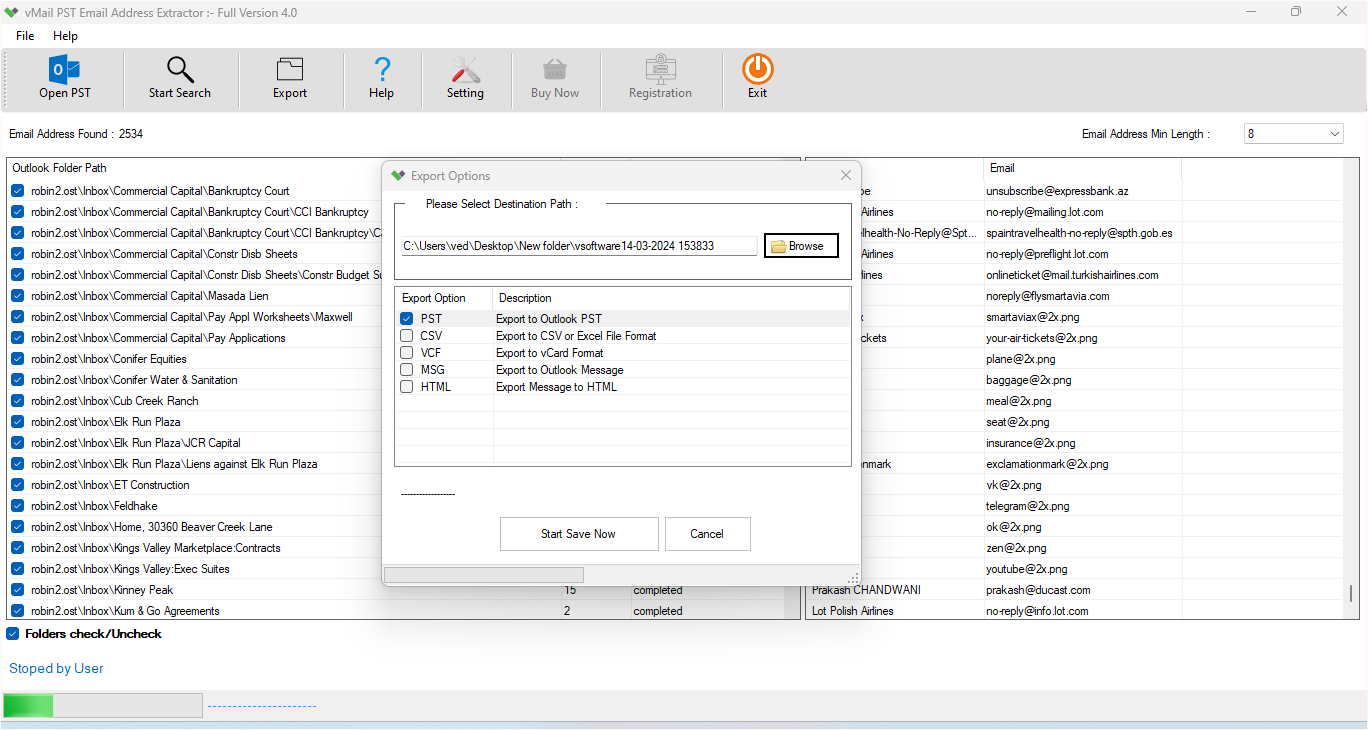
vMail PST Email Extractor is specifically meant to make the extraction of email addresses from Outlook PST files easy. The software searches through PST files and extracts email addresses from different mailbox folders, and at the same time maintains the original mailbox structure intact. It works with both ANSI and Unicode PST files as well as those that are password-protected.
It offers an easy-to-use interface that enables both technical and non-technical users to perform the extraction operation without any difficulty.
Extract Email Addresses in Batch
One of the handiest functions provided by vMail PST Email Extractor is that it extracts Outlook emails into a new PST file in bulk. Users can add several PST files and extract email addresses from all of them at once.
Bulk extraction not only saves time but also ensures that all the contact data is extracted correctly.
Elimination of Duplicate Email Addresses
Duplicates are one of the problems that might arise when extracting emails and could make the communication strategy less efficient. With the duplicate elimination feature, the user can have a professional contact list without duplicates.
Email Extraction by Date Range
All the emails contained within the PST files may not be needed. In order to extract only specific emails from particular date ranges, the user has the ability to use date filters.
This allows the user to get the email addresses from specific periods of time, making the extraction of the emails more targeted and faster. Whatever dates the user needs, the date filter gives them complete flexibility.
Data Preview Before Extraction
The user can preview data before exporting email addresses. This means that he can see all the contents of his mailbox, including emails, contacts, calendars, notes, tasks, and other objects from the mailbox.
Multiple Export Possibilities
Upon extraction of email addresses, users have an option to store the data in various formats as per their needs. The software allows users to export extracted data in PST, VCF, CSV, TXT, HTML, and PDF formats.
Export options make it possible for the user to easily manage, distribute, and utilize the contact information extracted in various applications.
Compatibility with all versions of Outlook
The PST Email Address Extractor Software is compatible with all versions of Outlook, such as Outlook 2003, 2007, 2010, 2013, 2016, 2019, 2021, and Outlook 365. Consequently, the tool is able to extract emails from any PST file regardless of the version being used.
Conclusion
It is not hard anymore to extract email addresses from PST files without using Outlook. vMail PST Email Extractor helps users to safely and effectively retrieve precious contact details from Outlook mailbox files. The software offers numerous useful functions like batch extraction, duplicates removal, date filtering, preview of PST, and many other options that allow users to manage emails more easily and save their valuable time.
vMail PST Email Extractor is a reliable tool for retrieving emails from PST files with the highest precision and simplicity.

Comments