
The emails usually have highly sensitive content, such as private conversations, business transactions, financial information, attachments, contact information, and many other confidential files. Consequently, it is critical that users select the proper method to convert their EML emails to Microsoft Outlook format while transferring. Even though using an online tool seems convenient, uploading private emails to another website is not always recommended since it raises privacy issues. This is why it would be much better to use an offline tool like vMail EML to MSG Converter for secure and convenient EML to MSG conversion.
Why Confidential Emails Require a Secure Conversion Method
EML files can be used in various email clients, such as Thunderbird, Windows Live Mail, Outlook Express, Apple Mail, and more. While migrating to Outlook, users often have to convert EML files to MSG. The problem gets more complicated if the emails contain any confidential corporate information, correspondence with customers, attachments, or other sensitive information.
When using an online converter, a user is required to upload their files to some Internet-based service first. In this way, the information from the emails goes outside the local computer during the conversion process. Even if the website promises secure conversion, a user may still not want to upload his or her mailbox information to some external server.
A desktop application is another way to convert EML files to MSG format. The vMail EML to MSG Converter Software does not require Microsoft Outlook to work, making it a practical choice for users who want to migrate EML to MSG without depending on an online service.
Is Offline EML to MSG Conversion Better for Confidential Data?
For users dealing with confidential emails, an offline conversion system can provide better options regarding the location of processing the source files. Users don’t have to upload their EML files to an online tool but can work on the files directly using their Windows computer.
The vMail EML to MSG Converter Software is specially developed for converting both individual and multiple EML files to MSG format. It offers selective as well as bulk conversion facilities depending upon user requirements. This makes EML to MSG migration easier when users have a large number of email files.
It can be very helpful for those organizations that have to migrate EML to MSG but at the same time want to keep their original email files under their own control.
Preserve Email Content During EML to MSG Conversion
Data integrity is yet another crucial consideration while transforming confidential emails. The transformation process needs to transform not just the file type but also the integrity of the data present in the email.
In this software, email parameters such as From, To, CC, and BCC parameters, subject, email size, and attachments are preserved during the EML to MSG conversion process. Also, this software enables email preview capability for users so that they can preview their EML data before they convert it into MSG file format.
This makes the tool useful for users who want to Covert EML to MSG while maintaining important email information and attachments during the conversion process.
Preview and Select Only Required Emails
A confidential email archive may include many emails, and not all the emails available there may need to be converted to different formats. The preview option allows users to look at the emails in their original format before any conversion takes place.
Emails can also be filtered based on who the sender and receiver of the emails are, along with the date range. This will allow the user to locate the emails needed for processing without having to convert all the emails.
Bulk Conversion for Large EML Collections
Manual conversion of hundreds or thousands of EML files can become monotonous and a time-consuming job. However, offline conversion using the bulk EML to MSG converter will make the process much easier for you.
In addition, the tool allows for bulk conversion of EML to MSG. It makes the entire process of email file conversion much easier and faster. You can select multiple files or even a folder for the conversion.
Such conversion is required by people who want to export EML to MSG and manage their email files in Outlook-compatible MSG format. The bulk facility also reduces the manual effort involved in processing individual files.
How to Convert EML to MSG Securely
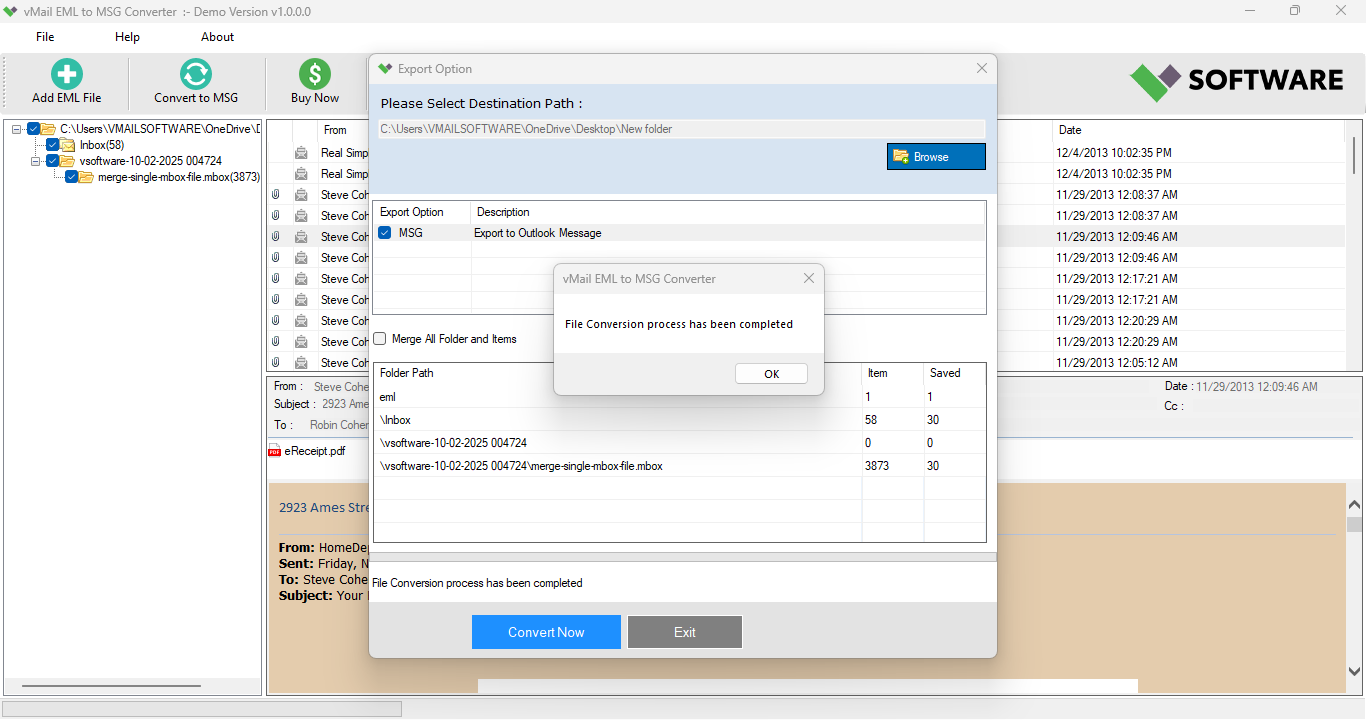
The process is not difficult. To start with, download and install the vMail EML to MSG Converter Software on a computer that supports the program. Add all the required EML files or folders into the software. The emails can be viewed and a filter tool is also provided in case users want to convert specific emails.
Then pick the EML files that are needed and select MSG as the output file format. Choose the output folder and click to convert the EML files into MSG files without having to install Microsoft Outlook.
Lastly, convert the EML files into MSG files and use them in Microsoft Outlook as needed.
Conclusion
It is advisable not to use convenience as the criterion in selecting the tool when handling confidential emails. Uploading EML files to the online application is not ideal for all users and organizations. The desktop version of the converter software offers a good choice to users looking to retain more control over their email messages.
vMail EML to MSG Converter Software is a tool that can be used to convert EML to MSG, convert EML to MSG, or Export EML to MSG due to its ability to convert EML files in bulk, selectively, and allow users to view and filter emails and attachments, among others. It provides a practical solution for users who need reliable EML to MSG conversion and organized EML to MSG migration.

Comments