
OLM files are used by Microsoft Outlook for Mac in order to store mailbox data, while PST files are used by Microsoft Outlook for Windows for managing mailbox information. As these two operating systems employ different file formats for storing mailbox data, the conversion of OLM to PST becomes necessary for users who switch from Mac to Windows. This need becomes even more acute when the mailbox consists of many years' worth of emails, contacts, calendars, tasks, notes, journals, attachments, etc.
Professional vMail OLM to PST Converter Software is created to help you do that easily. The software converts OLM to PST and other file formats in order to maintain your mailbox folder structure and other important email properties. At the same time, this software allows for migration of your OLM data directly to Office 365, Exchange Server, and Gmail.
Why Convert OLM to PST?
Conversion between OLM and PST occurs mainly when there is a switch between Outlook for Mac to Outlook on Windows. The OLM file cannot be viewed directly as a PST file when a person switches from Outlook for Mac to Windows Outlook, which makes the conversion necessary.
The transition may not only include email migration. An entire Outlook mailbox may consist of contacts, calendar, tasks, notes, journal, Inbox, Sent Items, Drafts, Deleted Items, Outbox, and other items. In this regard, it is necessary to select a method of conversion that will take into account various items of the mailbox.
Conversion between OLM and PST can prove itself to be an effective tool for transferring these elements into a PST file, which then can be opened in compatible versions of Outlook on Windows. This can also help users to organize their mailbox information without migrating each item manually.
Convert OLM to PST Without Losing Mailbox Data
One of the most essential things during email migration is data integrity. A converter must not only convert the emails into a PST file but also maintain all the properties related to the original mailbox.
The vMail OLM to PST Converter Software ensures that all the details about emails, like To, CC, BCC, time and date, subject, and attachments, are maintained. The software also maintains the folder structure of the original mailbox and all its metadata even after the conversion process. This makes it easy for the user to access their converted mailbox in an organized manner once the PST file is opened.
Attachments are very crucial in email migration because emails related to personal and business work often have documents, images, invoices, reports, and other attachments.
Recover All Outlook Mailbox Items
An OLM file can include much more information than just normal emails. The program is able to restore such Outlook elements as emails, contacts, calendar, tasks, notes, journals, inbox, outbox, drafts, sent items, and deleted items.
Thus, the conversion is helpful for those who need to copy all information contained in their mailbox, not just select emails. It can be particularly helpful for business because it includes contacts and calendar information, which can be necessary for work every day.
Preview OLM Data Before Conversion
Where there are many emails and folders stored within an OLM file, a user may wish to take a look at his/her mailbox prior to performing the actual conversion. This program offers a preview feature that enables a user to view the recovered emails before converting the OLM file to PST.
The preview of the mailbox may help users check out what information is available within their mailbox and the desired folder(s) or email messages contained in them.
Multiple Export Options
Though PST is perhaps the most widely used format for Outlook users on Windows, it need not necessarily be the only format necessary. The tool provides many conversions, with OLM file data being able to be saved in PST, EML, MSG, EMLX, MBOX, HTML, PDF, RTF, vCard, and vCal formats.
This feature may be handy when users have varying migration needs. For instance, users migrating to Thunderbird might need MBOX while those dealing with single emails might opt for MSG or EML. Users may also export calendar and contact data via the vCal and vCard formats.
Migrate OLM Data to Office 365, Exchange Server, and Gmail
Each migration does not require the creation of PST files before migration. The other option for migrating the Outlook for Mac mailbox is migration to a cloud-based email account.
There is an option of migrating OLM mailbox data to Office 365, Exchange Server, and Gmail/IMAP. In addition, it has the capability of migrating mailboxes and contacts to Office 365, Exchange Server, and Gmail/IMAP. Therefore, this software is helpful for users and organizations that intend to migrate from a local Outlook for Mac mailbox to a cloud email service.
Office 365 migration capabilities of the software include migration using the latest Office 365 migration approach using Azure App.
No OLM File Size Limitation
A large OLM file may have a history of several years in the form of emails, attachments, contacts, and many other types of mailbox contents.
According to the official product page, there are no restrictions on the file size of an OLM file during the conversion. Thus, a user will be able to deal not only with smaller but also with bigger OLM archives without the need to split the mailbox just because of some file size limitation.
It may be quite useful for companies that store a huge number of emails.
Compatible with Outlook Versions
Another factor to consider during the OLM to PST conversion process is compatibility. This software works with various versions of Outlook, including 2021, 2019, 2016, 2013, 2010, and 2007, as well as older versions of OLM.
It works on operating systems including Windows 11, Windows 10, Windows 8.1, Windows 8, Windows 7, Windows Vista, and Windows XP. The stated minimum system requirements are 4 GB RAM, 500 MB of installation space, and Microsoft .NET Framework 4.8.
How to Convert OLM to PST?
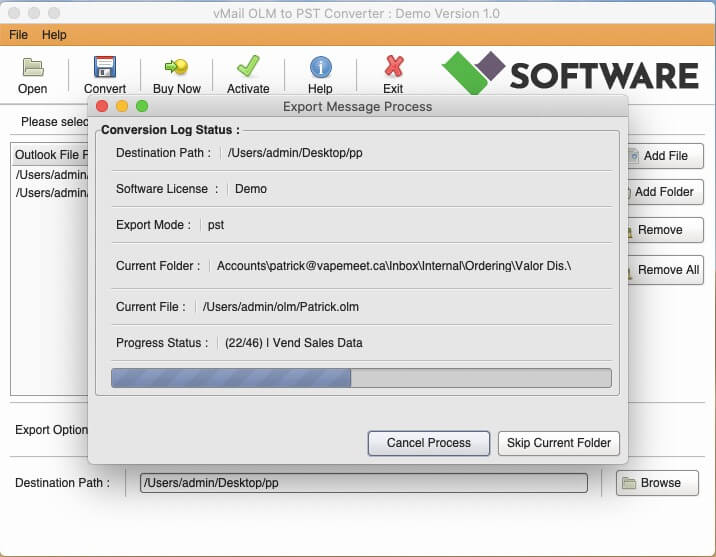
The whole conversion process can be achieved by following an easy-to-follow procedure. Start by installing and running the OLM conversion tool on any supported PC using the Windows operating system. Import the necessary OLM file and permit the program to scan all the mailbox information.
After the scanning, preview all the available emails, folders, and other mailbox items. Preview the information that has been restored and pick the data that needs to be converted. Select PST as the output file format and the location where you need the file to be saved after conversion.
Proceed with the conversion process to generate the PST file. After successful conversion, the PST file will be able to be opened in a supported version of Microsoft Outlook.
Free Demo for Testing
Those people who wish to try out the software prior to buying it are welcome to download the free version provided. As it is stated on the product page, with the demo version, users can view converted emails and save up to 30 entries in each folder. Thus, users get an opportunity to see what they will get after conversion.
Conclusion
Outlook data transfer from Mac to Windows can become easy if the proper method of transferring data is adopted. As the OLM format is used by Outlook for Mac and the PST format is a common format that is used by Outlook for Windows, converting OLM to PST becomes crucial.
The vMail OLM to PST Converter Software has the following functionalities: mailbox recovery, email preview, folder structure, several export options, large OLM file migration, and migration to Office 365, Exchange Server, and Gmail.
These functionalities offered by the software will be helpful for users intending to carry out OLM to PST conversion.

Comments